An athlete at the bottom of a back squat with blue RunLift plates in a daylit gym.
About the app

Everything RunLift does.

RunLift brings your running, strength training and food tracking into one app. It builds a week-by-week plan for where you are now, and it adjusts as you improve.

01Running plans 02Strength 03Food 04AI coach 05Your watch 06Every day 07Light or dark 08Price
01 · Running

A plan for every stage.

Whether you are training for a race, starting from nothing or coming back from an injury, there is a plan built for where you are now.

  • Race plans for 5k, 10k, half marathon and marathon, built to your race date.
  • Start running: a 9-week plan that builds from walking to 30 minutes non-stop.
  • Come back gently after a break or an injury, with a recovery plan for after a race.
  • Weekly speed sessions that build from fartlek to intervals, tempo and race-pace work, with paces worked out from your own 5k time.
  • Your paces update as you get faster, and a race predictor shows the time you are on track for.
  • Clear warnings when a plan asks too much too soon, a common cause of injury.

Choose your own run days. Runs from your watch tick sessions off automatically.
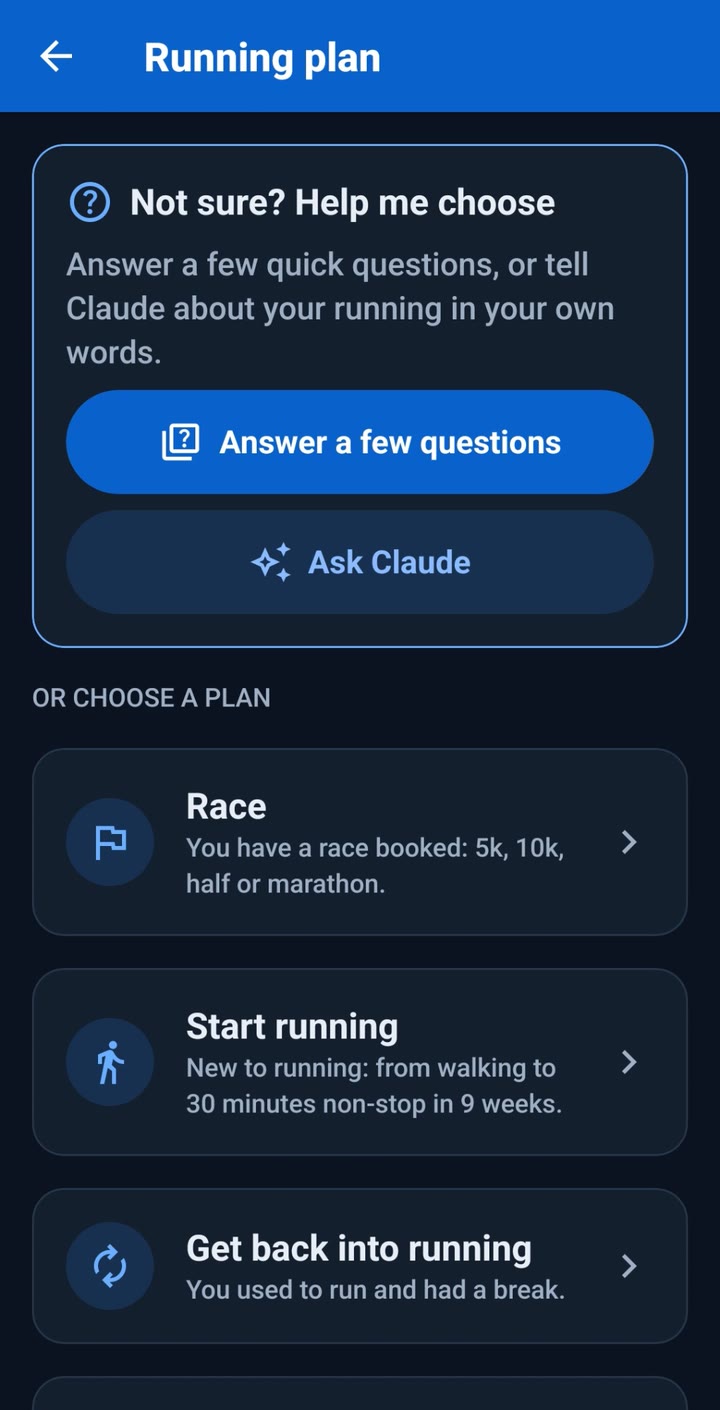
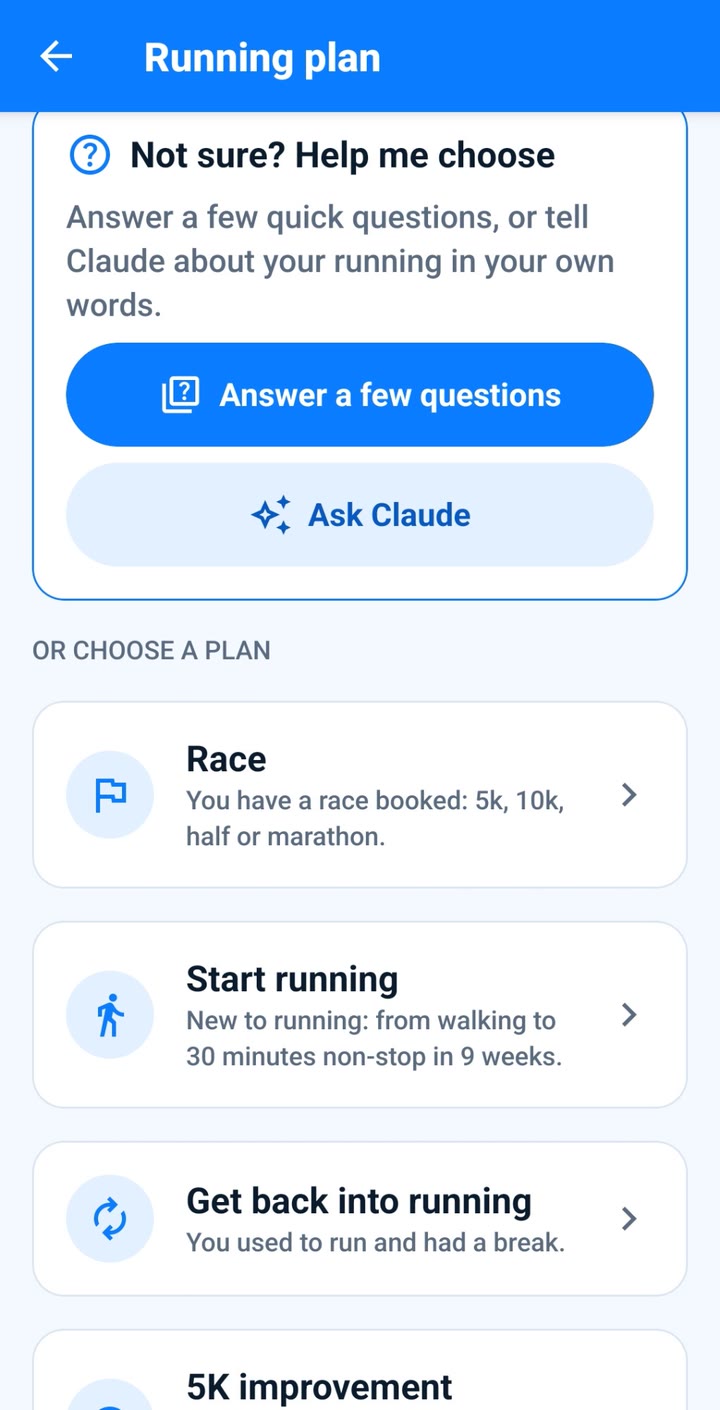
The RunLift running plan screen: answer a few questions or choose a plan such as Race, Start running or Get back into running.
02 · Strength

Lift with a plan.

Strength programmes for the gym, dumbbells or bodyweight, and a log that remembers what you lifted last time.
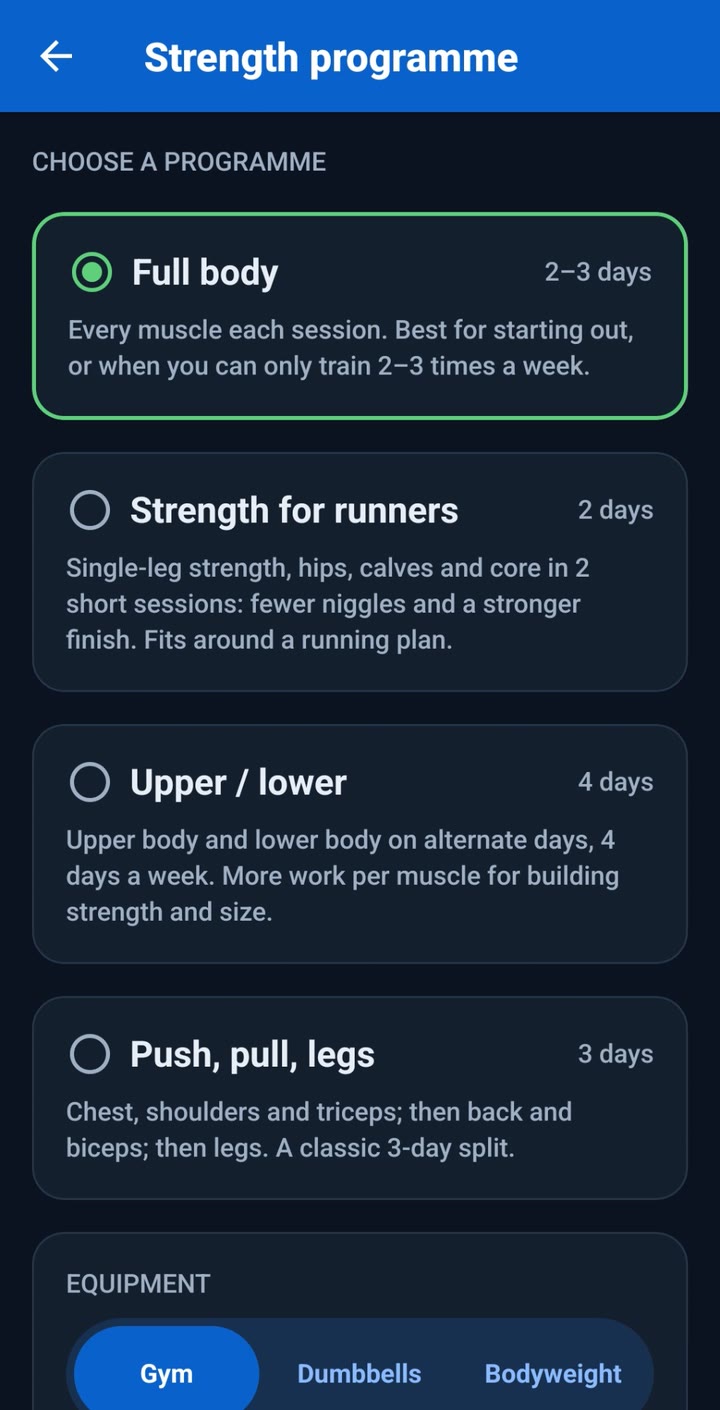
  • Programmes: full body, strength for runners, upper and lower, and push, pull and legs.
  • Weights go up as you get stronger, with a lighter week built in.
  • Log sets, reps, weights, time and distance.
  • A rest timer that tells you when it is over, even with the phone locked.
  • Personal records for lifts, bodyweight moves and runs.
  • Over 850 exercises with step-by-step instructions and demo photos.
The RunLift strength programme screen in dark mode: choose Full body, Strength for runners, Upper and lower, or Push, pull, legs, with Gym, Dumbbells and Bodyweight options.
03 · Food

Scan it, then log it.

Log what you eat in seconds, and see how it measures up against your daily targets.
  • Log breakfast, lunch, dinner and snacks.
  • Scan a barcode to fill in the food for you.
  • Track calories and protein against your daily targets.
  • Fibre, sugar, saturated fat and salt shown against UK daily amounts.
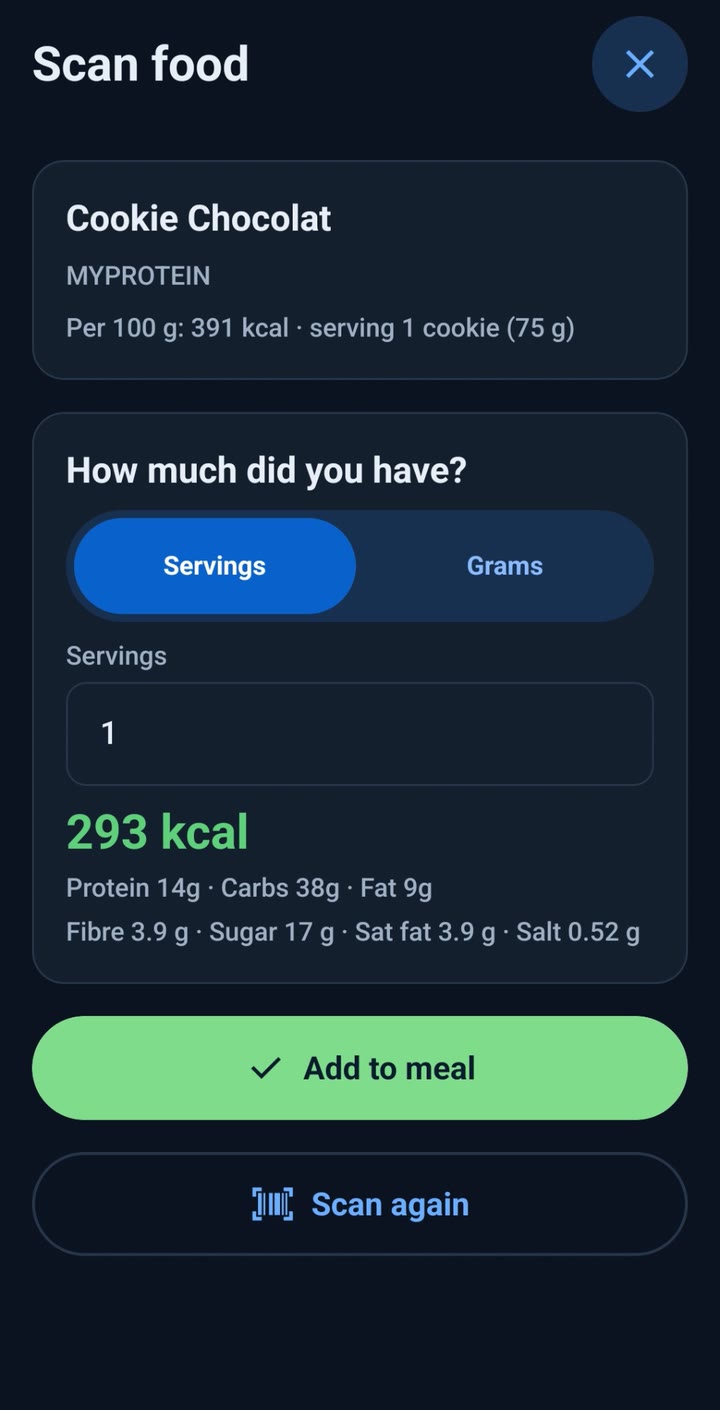
The RunLift scan food screen after scanning a barcode: the product, how much you had, and the calories, protein, carbs, fat, fibre, sugar, saturated fat and salt, with an Add to meal button.
04 · Optional AI coach

Ask for the week you want.

Ask questions and receive advice based on your own training, food and recovery. The coach can plan your week and build every session.

  • It suggests workouts and can change your running plan.
  • You see every change first and choose whether to apply it.
  • Try it with 10 free messages, or add your own Anthropic API key in Settings.

Nothing is sent to the AI coach until you agree, and you can stop sharing at any time.
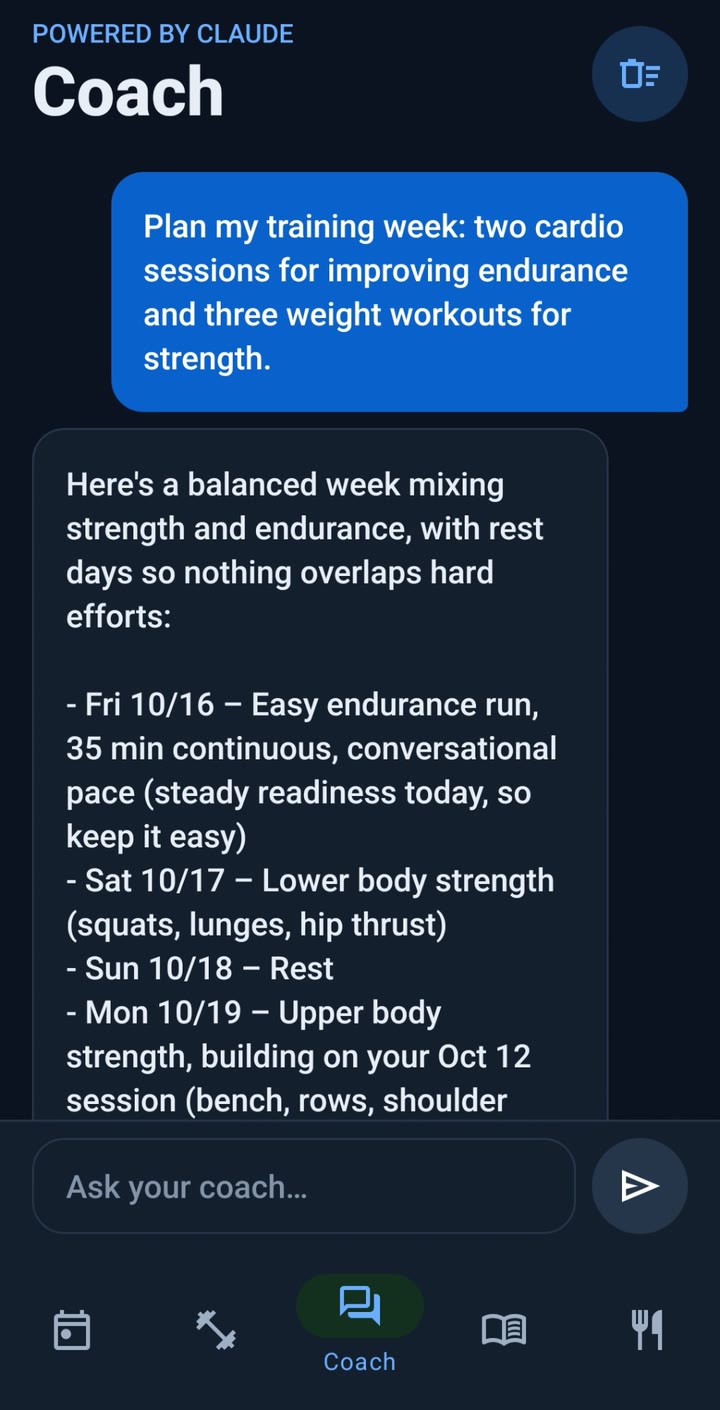
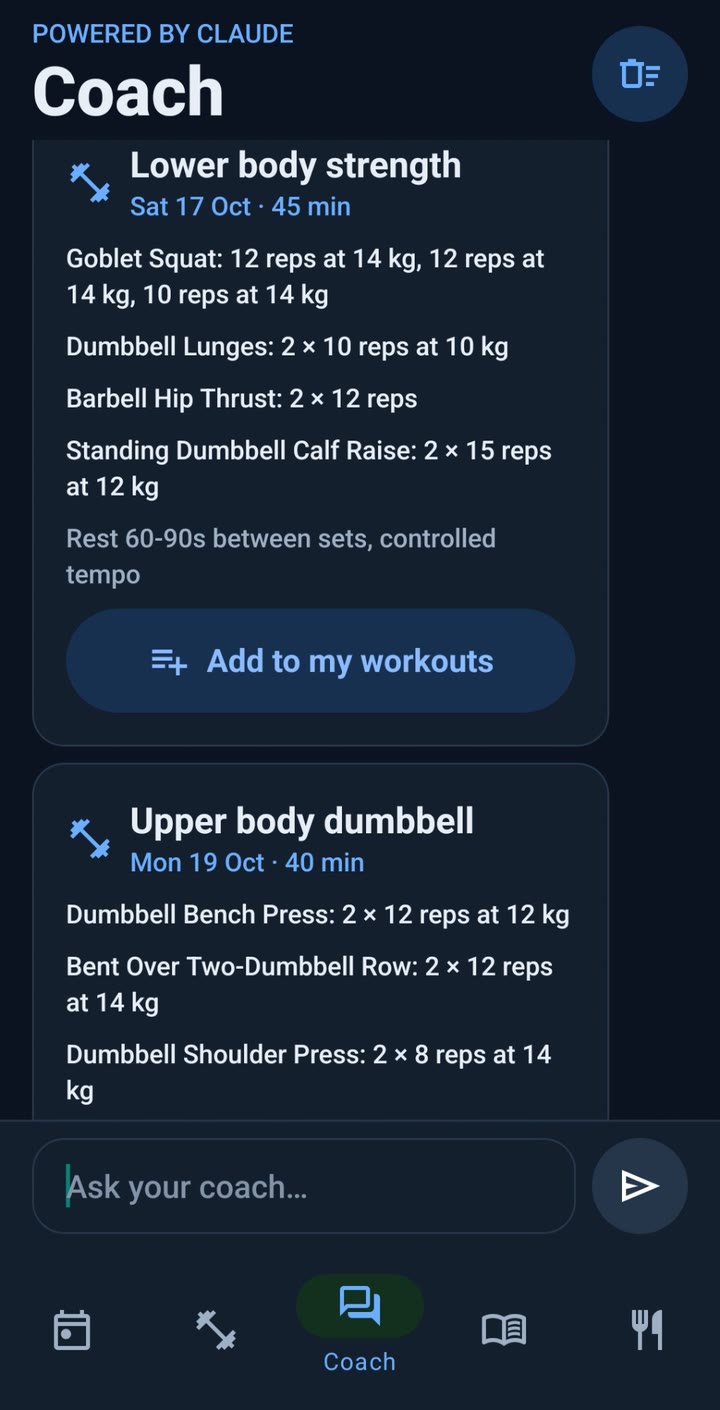
The RunLift coach screen: a request to plan a training week, and the coach's balanced week in reply.
The coach's planned sessions as cards, each with an Add to my workouts button.
05 · Health Connect

Your watch, built in.

RunLift reads from Health Connect, so the data you already collect counts towards your plan.
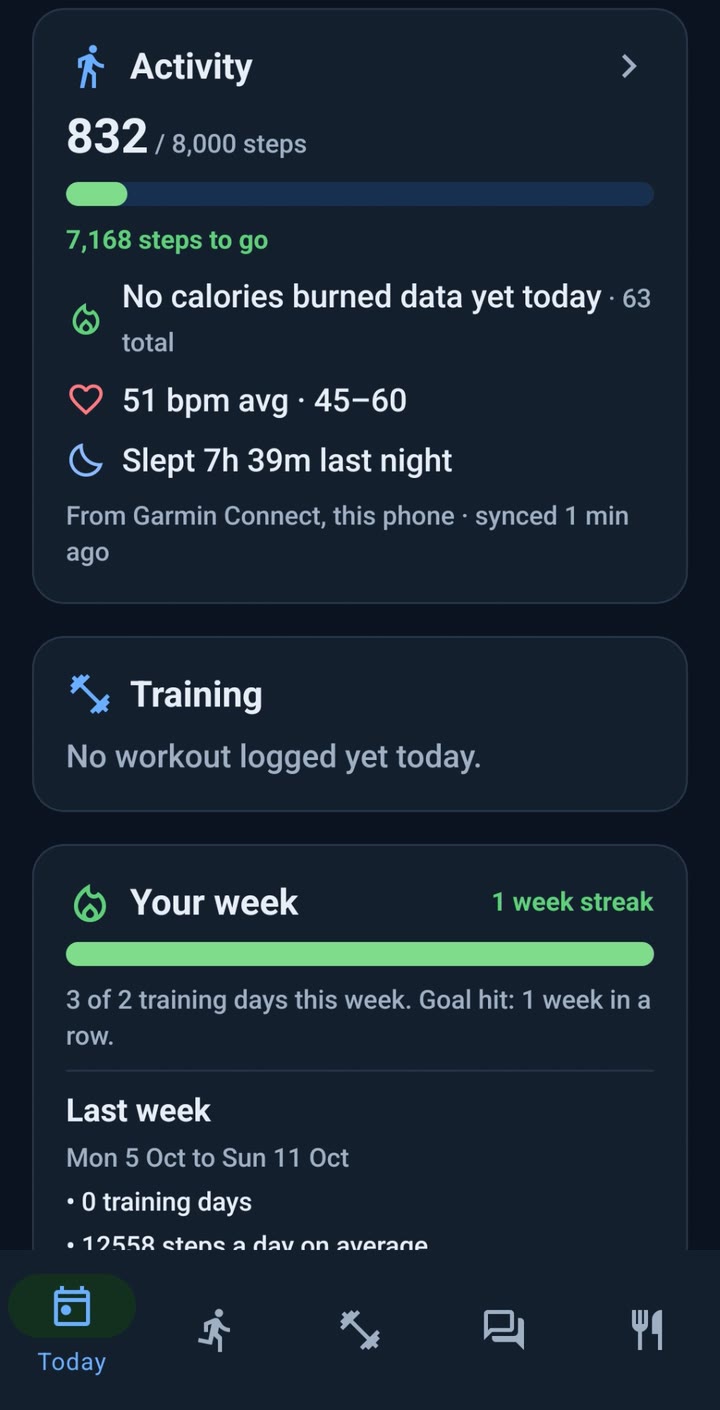
  • Bring in steps, calories burned and workouts, including from Samsung Health, Garmin and Fitbit.
  • See weight, overnight heart rate variability (HRV) and resting heart rate against your usual.
  • A run recorded twice, by hand and by your watch, counts only once.
The RunLift Today screen in dark mode showing steps, heart rate and last night's sleep synced from Garmin Connect, plus your training and weekly streak.
06 · Every day

Know when to push, or rest.

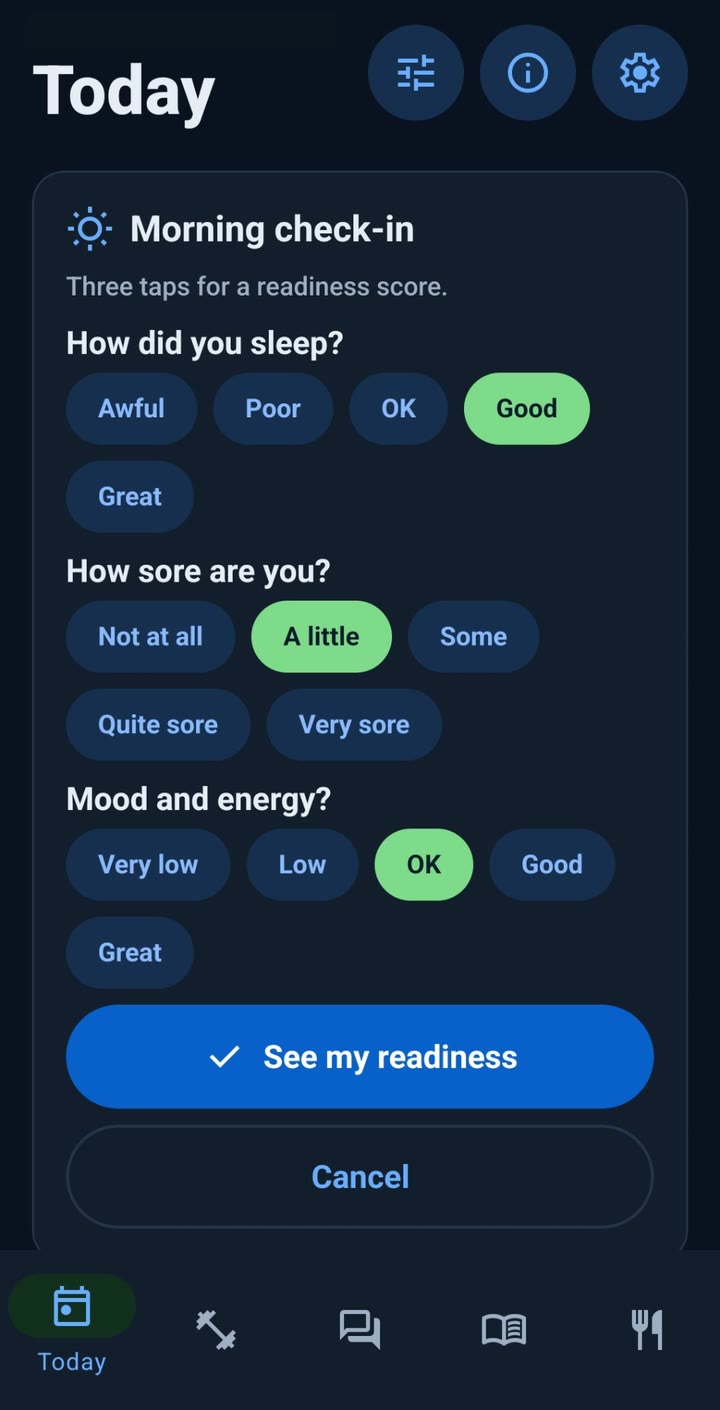
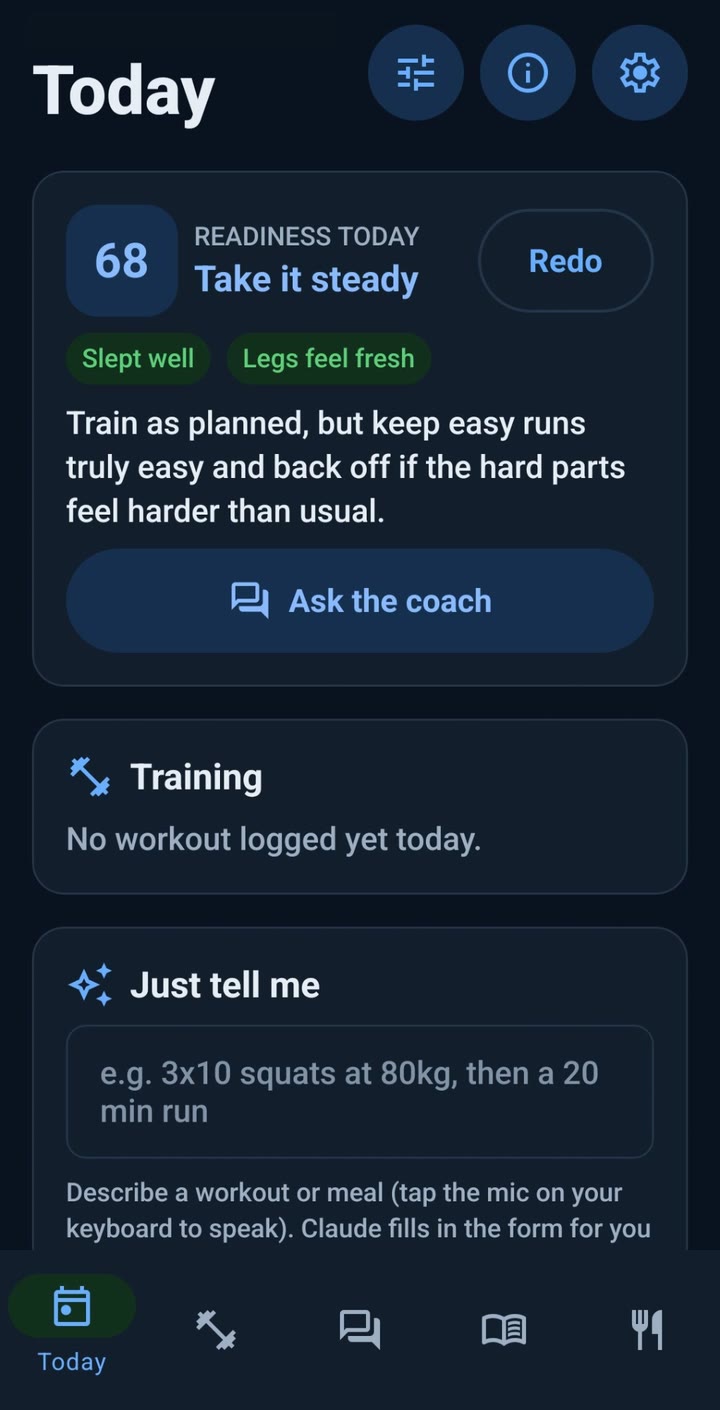
A morning check-in for sleep, soreness and mood gives a readiness score. On a low day, RunLift offers an easier session.
  • Arrange your Today screen: put the sections in the order you want and hide the ones you do not use.
  • Badges, weekly streaks and a recap of last week.
  • Reminders for check-ins, run days and meals.
  • Back up everything to a file and restore it on a new phone.
The morning check-in: how did you sleep, how sore are you, and mood and energy.
A readiness score of 68 with the advice to train as planned but keep it steady.
07 · Light or dark

Light or dark.

RunLift follows your phone's light or dark setting, so it matches the rest of your phone in bright daylight and late at night.
  • Nothing to switch: change the setting on your phone and RunLift changes with it.
  • The same plans, coach, check-in and food log in either look.
The RunLift running plan screen in the light look: a white background with blue buttons.
Light
The same RunLift running plan screen in the dark look: a deep navy background with blue buttons.
Dark
08 · Price

Free to start. Plus when you want more.

Everything for your running, strength and food is free. RunLift Plus is there for the coach, and to take away the adverts.

Free

£0
Free to download and to use
  • Every running plan, strength programme, the workout log and the food tracker.
  • Health Connect and the daily check-in with its readiness score.
  • 10 free coach messages, or add your own Anthropic API key.
  • One full-screen advert a day, shown after you save a workout.

RunLift Plus

£5.99 a month
or £41.99 a year, about £3.50 a month
  • 50 coach messages a month, with no API key to set up.
  • No adverts.
  • A 7-day free trial on the annual plan.
  • Cancel at any time in Google Play. Made by one person in the UK, so it helps keep RunLift going.

Prices are in pounds sterling and are charged by Google Play. If you use your own Anthropic API key for the coach, Anthropic charges you separately for what you use.

The plan changes when you do.

For Android

Plan the week ahead.

Coming soon to Google Play Back to the home page